We use cookies to make your experience better.
To comply with the new e-Privacy directive, you agree to the privacy policy and our use of cookies.

Monitor Mounts & Stands

Shop By
-
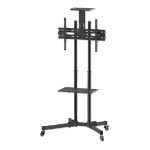
Manhattan Trolley Mount Stand for TV & Monitors, For screens 37" to 65", VESA compatability: all between 200x200 to 600x400mm - check the dimensions of the four mounting holes on back of screen to ensure it fits, Max 40kg, Black, LFD, Bracket, Lifetime Wa
Trolley Mount Stand for TV & Monitors, For screens 37" to 65", VESA compatability: all between 200x200 to 600x400mm - check the dimensions of the four mounting holes on back of screen to ensure it fits, Max 40kg, Black, LFD, Bracket, Lifetime Warranty -
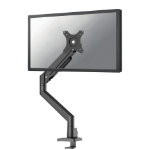
Neomounts DS70-250BL1 Monitor arm 17-35" - gas spring - Topfix - 180°-stop
Neomounts NEXT Slim DS70-250BL1 Single monitor arm - 17-35" - 1-9 kg (curved 8 kg) - gas spring - 180°-stop - Topfix - Easy Install-model - 100% plastic-free packaging - black -
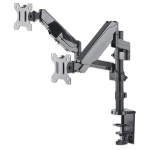
Manhattan Dual Desk Mount for TV & Monitors (Full Motion Gas Spring), For screens 10" to 27", Clamp or Grommet Assembly, VESA compatability: 75x75 and 100x100mm - check the dimensions of the four mounting holes on back of screen to ensure it fits, Max 8kg
Dual Desk Mount for TV & Monitors (Full Motion Gas Spring), For screens 10" to 27", Clamp or Grommet Assembly, VESA compatability: 75x75 and 100x100mm - check the dimensions of the four mounting holes on back of screen to ensure it fits, Max 8kg (each) -
Logitech 952-000109 mounting kit
Logi Tap Scheduler Mounting Kit, Graphite -
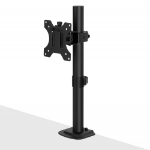
Lindy Stubby Fixed Display Mount
Stubby Fixed Display Mount -
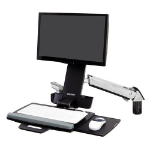
Ergotron Styleview Sit-Stand Combo Arm 61 cm (24") Wall Aluminium
StyleView Sit-Stand Combo Arm -
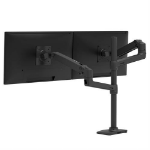
Ergotron LX Series LX Dual Stacking Arm, Tall Pole, Matte Black 101.6 cm (40") Desk
LX Dual Stacking Arm Tall Pole (matte black) -
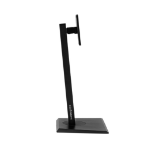
Hannspree 80-04000014G000 monitor mount / stand 71.1 cm (28") Desk
23.6" - 28", 4 kg, VESA -
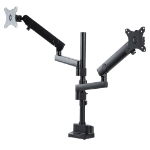
StarTech.com Desk Mount Dual Monitor Arm, Full Motion Monitor Mount for 2x VESA Displays up to 32" (17.6lb/8kg), Height Adjustable, Clamp/Grommet Mount, Mechanical Spring
StarTech.com Desk Mount Dual Monitor Arm, Height Adjustable Mount for 2x VESA Displays up to 32" (17.6lb/8kg), Mechanical Spring -
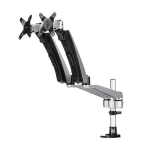
StarTech.com Desk-Mount Dual Monitor Arm - Full Motion Articulating - Premium
StarTech.com Desk Mount Dual Monitor Arm - Full Motion - Premium Dual Monitor Stand - For up to 30” VESA Monitors - Tool-less (ARMDUAL30)